
Upskilling vs Reskilling: Which Digital Marketing Path Is Right for You?
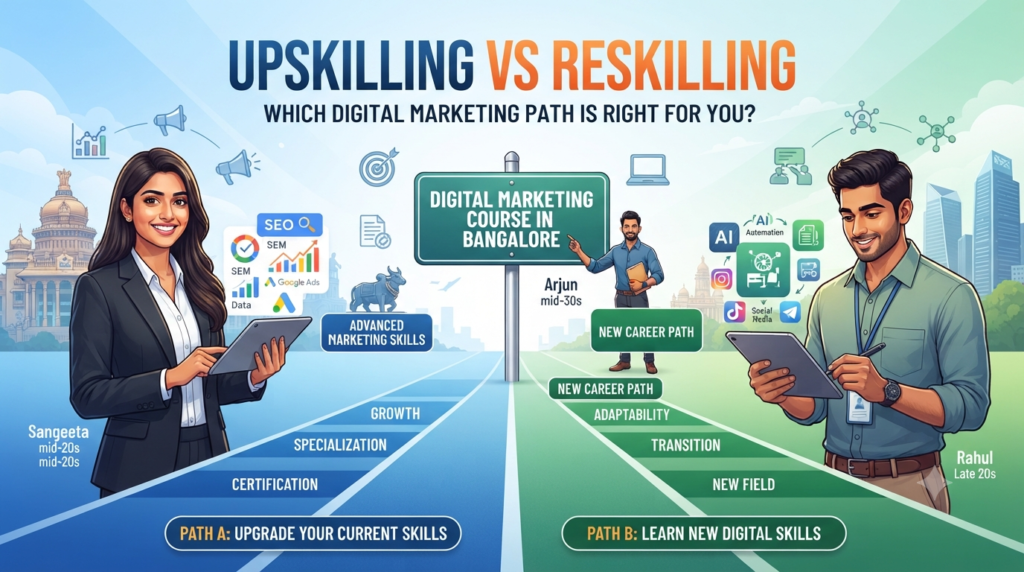
The modern professional workspace is evolving continuously. Changing market demands, shifting business models, and the integration of new technologies mean professionals frequently evaluate how to stay relevant and competitive. Whether you are an entry-level graduate planning your next career step or an experienced specialist looking to adapt, identifying the right professional development strategy is essential. To stay competitive, professionals often look at two primary concepts: upskilling and reskilling. While both strategies support career growth, choosing the right path—and pairing it with practical expertise—can help you achieve your professional goals. For professionals in India’s tech hub, enrolling in a structured Digital Marketing Course in Bangalore provides a practical way to build relevant, applied skills for modern business needs. Understanding the Core Difference: Upskilling vs. Reskilling Before exploring how digital marketing fits into these strategies, it is helpful to understand the definitions and goals of upskilling versus reskilling. What is Upskilling? Upskilling involves learning new, advanced skills within your current domain or profession. It is about vertical growth—deepening your technical capabilities so you can handle more complex responsibilities, improve efficiency, or qualify for advanced roles. What is Reskilling? Reskilling involves learning an entirely new set of skills to transition into a different job role or industry altogether. It focuses on horizontal growth and adaptability, often chosen by professionals seeking a career pivot. Upskilling vs. Reskilling: Quick Comparison The table below highlights the key differences between the two approaches: Upskilling Reskilling Builds on your existing career Helps you move into a new career Deepens existing expertise Develops a new skill set Usually supports career progression Usually supports career transition Example: SEO executive → SEO/Growth specialist Example: Sales professional → Performance marketer Why Digital Marketing is a Practical Skill Area Digital marketing has become an important skill set for businesses that rely on online channels for customer acquisition, engagement, and sales. Organizations of varying sizes—from growing startups to established enterprises—utilize digital channels to reach target audiences. Because modern business relies heavily on online visibility, professionals who understand Search Engine Optimization (SEO), paid advertising, social media management, and data analytics can contribute effectively to business growth. Gaining familiarity with these tools through targeted programs, such as Digital Marketing training in Banashankari, helps professionals acquire practical competencies applicable across multiple industries. The Role of Upskilling for Marketing and Sales Professionals For individuals already working in marketing, sales, communications, or media, upskilling provides a way to adapt to evolving industry practices and avoid career plateaus. Marketing practices have evolved from intuitive approaches to data-informed strategies. Understanding metrics like customer acquisition cost, campaign attribution, and analytical reporting allows professionals to execute more targeted campaigns. The Power of Reskilling for Career Changers For professionals looking to transition from traditional sectors into digital-focused roles, reskilling offers a structured path toward a new career direction. For individuals seeking structured learning environments with mentorship, enrolling in a recognized Digital Marketing training institute in BTM layout can help streamline the transition process through guided, hands-on practice. Why Industry-Ready Skills Matter in Digital Marketing Both formal education and practical training serve distinct purposes in professional development. While academic degrees establish foundational knowledge and critical thinking skills, practical training programs focus on contemporary tools, industry workflows, and real-world execution. In fields like digital marketing, platforms, algorithms, and best practices update regularly. Professionals benefit from hands-on exposure to current software—such as analytics dashboards, ad managers, and SEO auditing tools—allowing them to apply concepts directly to live scenarios. Should You Upskill or Reskill? Evaluating your current professional background and career goals can help determine which path fits your needs: Choose upskilling if: Consider reskilling if: Navigating Your Learning Journey with Digital Marketing Catalyst For professionals considering either upskilling or reskilling, a practical digital marketing program can provide structured learning across SEO, paid advertising, social media, analytics, and content marketing. At Digital Marketing Catalyst, our training programs are designed to combine conceptual learning with practical execution. We support students and career changers through structured curriculum modules, hands-on tool practice, and dedicated career support services, including resume-building guidance, mock interviews, and interview preparation. Explore Digital Marketing Courses at Digital Marketing Catalyst Conclusion The choice between upskilling and reskilling depends on your professional background and career objectives. If your goal is to enhance your current role, upskilling provides the necessary depth. If you are looking for a complete career pivot, reskilling offers a clear pathway. Digital marketing serves as one practical skill area professionals can consider when they want to expand their current capabilities or transition into a new career. Evaluating your options carefully will help you choose the right learning path for your professional growth. What is the main difference between upskilling and reskilling? Upskilling involves learning advanced skills within your current profession to improve performance and career progression. Reskilling means learning an entirely new skill set to transition into a different job role or industry. Can professionals from non-marketing backgrounds learn digital marketing? Yes. Digital marketing combines analytical thinking, strategic planning, and creative execution, making it accessible to individuals from diverse educational and professional backgrounds with proper guidance. Why are practical, industry-ready skills important in digital marketing? Upskilling involves learning advanced skills within your current profession to improve performance and career progression. Reskilling means learning an entirely new skill set to transition into a different job role or industry. Yes. Digital marketing combines analytical thinking, strategic planning, and creative execution, making it accessible to individuals from diverse educational and professional backgrounds with proper guidance.
How Hands-On Live Projects Elevate Your Digital Marketing Training Course in BTM Layout

Learning digital marketing from videos, presentations and textbooks can give you a strong foundation. But understanding a concept and knowing how to apply it are two different things. This is where hands-on projects become important. If you are looking for a Digital Marketing Training Course in BTM Layout, it is worth asking a simple question before choosing an institute: **How much of the training involves actually doing the work?** Digital marketing is a practical field. Marketers research keywords, build and optimise websites, create campaigns, analyse performance, test different approaches and make changes based on data. These activities are difficult to understand fully if learning remains limited to theory. At Digital Marketing Catalyst (DMC), the training approach places practical execution and live-project experience alongside classroom learning. The objective is to help learners understand not only what a digital marketing tool does, but also how and when to use it. Why Practical Experience Matters in Digital Marketing Digital marketing platforms and consumer behaviour change continuously. Search algorithms evolve, advertising platforms introduce new features, tracking methods change and businesses constantly test new ways to reach customers. Because of this, learning a list of definitions is not enough. For example, it is useful to know what SEO means. It is more useful to understand how to audit a page, identify a search-intent problem, improve on-page elements and measure the effect. Similarly, knowing what PPC stands for is different from working through a campaign, reviewing cost and conversion data, identifying an inefficient keyword or audience and deciding what should be changed. Practical projects create a controlled environment where learners can develop this experience with guidance. 1. Connecting Digital Marketing Theory with Real Execution A classroom can explain the stages of a marketing funnel. A practical project shows you how those stages behave when real constraints enter the picture. During a hands-on project, learners may have to work with: Working through these situations helps learners understand the reasoning behind digital marketing decisions. 2. Building a Practical Portfolio A course certificate can show that you completed a programme. A portfolio can show what you actually worked on. This distinction can be useful when preparing for interviews. Depending on the project and training track, learners may be able to document work such as: The important point is not simply to collect screenshots. A useful portfolio should explain the objective, the approach, the work completed, the tools used and what was learned from the results. 3. Developing Data-Driven Decision-Making Skills Digital marketing involves a large amount of data. Marketers may work with impressions, clicks, engagement, traffic, leads, conversions, acquisition costs and other performance indicators. Practical training can help learners become comfortable interpreting these numbers. Tools such as Google Analytics 4, Google Search Console, Google Ads and Meta Ads Manager can be used to understand different parts of the customer journey. A project might raise questions such as: There is no single answer to these questions. The marketer needs to examine the available evidence, form a hypothesis, make a change and measure what happens next. That analytical process is one of the most valuable habits practical training can develop. 4. Learning to Handle Problems and Uncertainty Not every campaign performs as expected. A landing page may receive traffic without generating enough enquiries. An ad may receive clicks but produce expensive conversions. Organic traffic may fluctuate. A tracking configuration may stop recording an event correctly. Encountering these situations during supervised training can make the transition to professional work more familiar. The goal is not to make every project successful. The goal is to learn how to investigate a problem, identify possible causes, test a solution and learn from the result. That problem-solving mindset is relevant across SEO, paid advertising, social media, analytics and content marketing. What Makes Digital Marketing Catalyst’s Practical Approach Different? Digital Marketing Catalyst positions its training around practical, agency-style learning. According to the programme structure, learners work across areas such as SEO, performance marketing, social media, content marketing, websites, analytics and AI-assisted marketing. The practical approach includes several elements. 1. Agency-Style Practical Learning The course is designed to connect classroom concepts with practical marketing activities. Learners can work with websites, campaign exercises, optimisation tasks and client-style briefs as appropriate to their programme. This helps put individual tools into context. SEO, paid advertising, content and analytics are not isolated activities; they often work together as parts of a broader marketing strategy. 2. Guidance from Industry Practitioners The original DMC programme description highlights practitioner-led training and exposure to current industry practices. For an institute making this claim on its website, the strongest EEAT implementation would be to identify the trainers by name, provide their relevant professional experience and link to verifiable professional profiles where appropriate. This gives prospective learners something more useful than a generic “industry expert” label: evidence of who is teaching them and what experience those trainers bring. 3. A Curriculum That Includes Current Digital Marketing Skills The course covers core digital marketing areas while also addressing newer workflows. The curriculum includes: Because digital platforms change frequently, course pages should be reviewed periodically to ensure that tool names, features and curriculum claims remain current. 4. Career and Portfolio Support Practical training is only one part of preparing for a digital marketing career. DMC’s programme also describes support around resumes, LinkedIn profiles, mock interviews and portfolio development. These activities can help learners present their practical work more clearly when applying for jobs. However, career support should be distinguished from an employment guarantee. Hiring decisions ultimately depend on the employer, role requirements, candidate skills, experience and interview performance. What Does the Digital Marketing Training Roadmap Look Like? The learning journey can be viewed as a progression from fundamentals to execution and measurement. Phase 1: Foundations & Website Setup Learners understand the digital ecosystem, website fundamentals, domain and hosting concepts, WordPress and basic website setup. Phase 2: SEO & Organic Growth The SEO component covers areas such as keyword research, search intent, on-page optimisation, technical SEO, link-building fundamentals and local
Self-Learning vs. Enrolling in an SEO Training Institute in Bangalore: Which Path Guarantees Success?
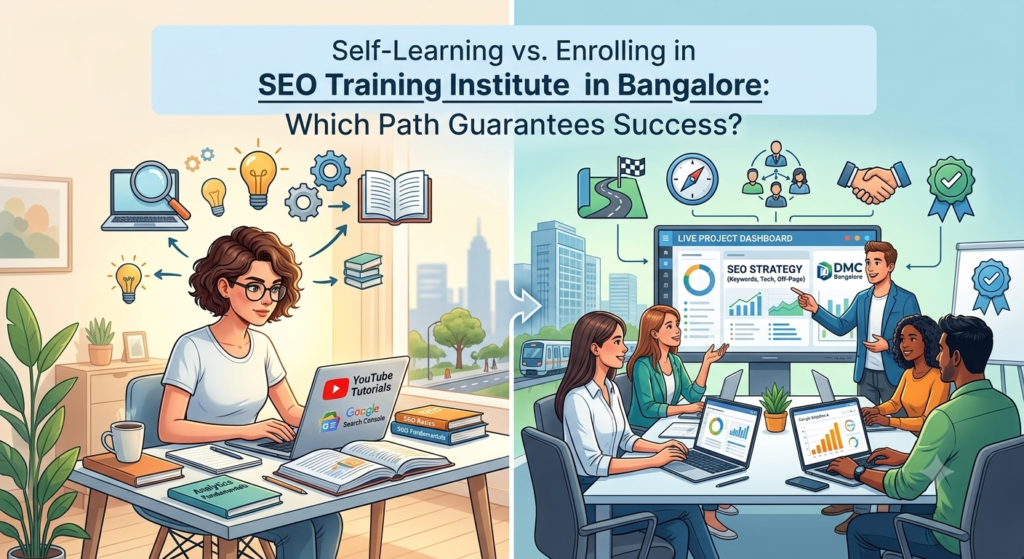
Aspiring digital marketers often face a major dilemma: Should you attempt to learn Search Engine Optimization independently through free internet tutorials, or enroll in a structured program at a professional SEO Training Institute in Bangalore? While self-learning offers complete flexibility and zero upfront financial investment, formal institute training provides hands-on agency exposure, direct industry mentorship, and systematic skill progression. Weighing both learning paths side-by-side helps determine which approach aligns best with your long-term career aspirations in the fast-evolving digital economy. Understanding Self-Learning in Search Engine Optimization Self-learning involves relying on public online video tutorials, industry blogs, free courses, and personal experimentation to master organic search techniques. Advantages of Enrolling in an SEO Training Institute in Bangalore Joining a top-rated SEO Training Institute in Bangalore transforms static theoretical knowledge into active industry practice within real-world digital agency environments. Side-by-Side Comparison: Self-Learning vs. SEO Training Institute in Bangalore Feature Self-Learning Path SEO Training Institute in Bangalore Learning Structure Disorganized, self-curated, and often fragmented Structured, step-by-step, agency-aligned syllabus Practical Experience Limited to small personal test websites Live client websites, live domain audits & real campaign scenarios Industry Tool Access Free or limited-trial versions of tools Hands-on access to enterprise SEO suites and software Mentorship & Guidance None; relies entirely on self-guided research Direct real-time mentorship from veteran industry professionals Career Outcomes Must build portfolio and prove skills from scratch Certified qualification, portfolio creation & placement support Why Choose an SEO Training Institute in Bangalore for Your Career Growth? Bangalore is widely recognized as India’s leading technology and startup hub, making it the ideal city to launch a career in digital marketing. Enrolling in an SEO Training Institute in Central Bangalore positions you directly inside a thriving ecosystem of tech companies, digital marketing agencies, and scaling e-commerce brands. Importance of SEO in the Modern Digital Era In today’s hyper-competitive online market, search engines serve as the primary gateway for consumers actively looking for products, services, and answers. High organic visibility builds consumer trust, drives consistent conversion-ready traffic, and yields sustainable business growth without constant ad spend. Future Scope and Career Growth for SEO Experts The demand for skilled SEO strategists is rising rapidly as brands shift marketing budgets away from ad dependency toward organic search growth. As search engines evolve alongside artificial intelligence, voice search, and machine learning, the role of an organic growth specialist has transformed into a strategic tech-driven career. Key Skills Taught at a Leading SEO Training Institute in Bangalore A professional training program focuses on developing a well-rounded skill set that combines technical execution, analytical thinking, and strategic content planning: Who Should Join an SEO Training Institute in Bangalore? Which Path Guarantees Success? If you have extensive free time, strong self-discipline, and the patience to learn through months of trial and error on personal test sites, self-learning can build a broad general understanding of search concepts. However, if your goal is to secure a high-paying job quickly, gain hands-on experience with live client projects, master paid agency tools, and receive direct career placement support, enrolling in a dedicated SEO Training Institute in Bangalore provides the fastest, most reliable, and most guaranteed path to long-term career success. Why should I choose an SEO Training Institute in Bangalore over learning online for free? While free online resources provide basic theoretical concepts, an SEO Training Institute in Bangalore provides structured learning, live client project experience, direct mentor feedback, access to paid enterprise tools, and placement support to ensure job readiness. Do I need coding or technical programming knowledge to enroll in an SEO Training Institute in Bangalore? No prior coding experience is required. While basic HTML and CSS concepts are covered during the technical SEO modules, the training is designed to take beginners from foundational concepts through advanced technical application step-by-step. While free online resources provide basic theoretical concepts, an SEO Training Institute in Bangalore provides structured learning, live client project experience, direct mentor feedback, access to paid enterprise tools, and placement support to ensure job readiness. No prior coding experience is required. While basic HTML and CSS concepts are covered during the technical SEO modules, the training is designed to take beginners from foundational concepts through advanced technical application step-by-step.
AI-Powered Digital Marketing Course in Bangalore: Complete Guide to Skills, Tools & Career Opportunities
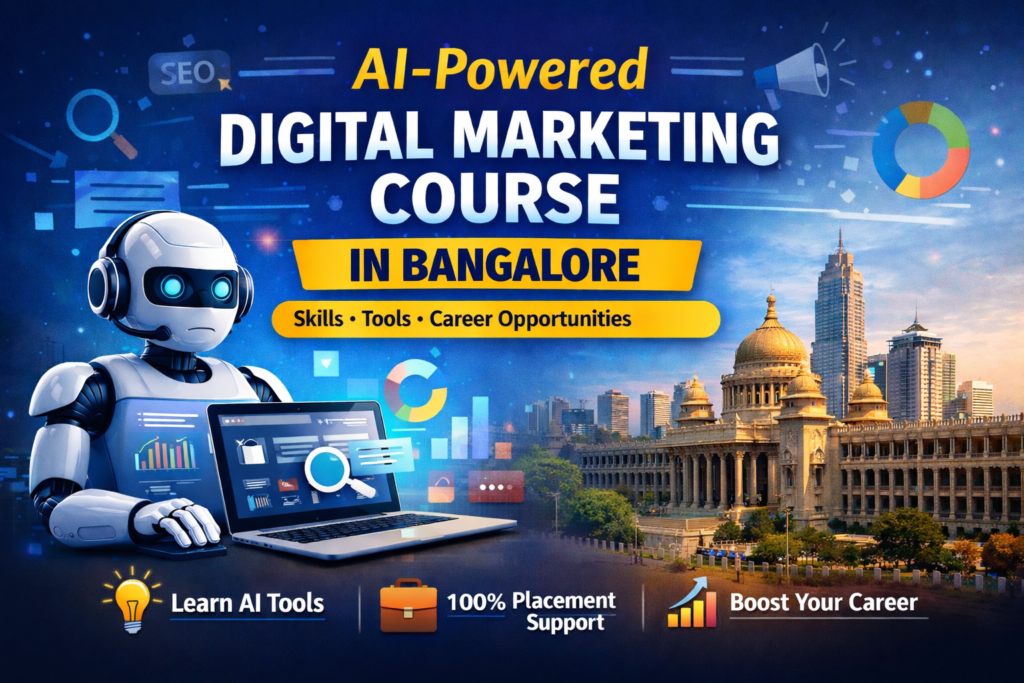
Digital marketing is evolving rapidly, and Artificial Intelligence (AI) is now transforming how marketers run campaigns, analyze data, and create content. Businesses are increasingly looking for professionals who understand both digital marketing fundamentals and AI tools. If you are a student, job seeker, entrepreneur, or marketing professional, learning AI-powered digital marketing can significantly boost your career opportunities. In this guide, we will explain: What AI in digital marketing means AI tools used by modern marketers Skills you will learn in an AI-powered digital marketing course Career opportunities and salary expectations Why choosing the right training institute matters What is AI in Digital Marketing? AI in digital marketing refers to using machine learning, automation, and data analysis tools to improve marketing performance. Instead of doing everything manually, marketers now use AI to: Perform keyword research faster Generate SEO content ideas Optimize paid advertising campaigns Personalize marketing messages Analyze large amounts of customer data Platforms like Google Ads and SEMrush already use AI to automate bidding strategies, audience targeting, and keyword analysis. Because of this shift, companies now prefer marketers who understand how to combine digital marketing skills with AI-powered tools. Why AI Skills Are Important for Digital Marketers AI is becoming a core part of marketing workflows. Companies are investing heavily in AI-powered marketing systems because they improve efficiency and results. Here are a few reasons why AI skills are important: 1. Faster Campaign Optimization AI tools analyze campaign performance in real time and automatically optimize ads and targeting. 2. Better Customer Personalization AI helps deliver personalized content and product recommendations based on user behavior. 3. Advanced Data Insights AI analyzes large data sets to predict trends and identify opportunities. 4. Faster Content Creation AI can generate content outlines, keyword ideas, and marketing copies much faster. Professionals who understand AI-driven marketing strategies will have a strong advantage in the job market. Top AI Tools Used in Digital Marketing Modern marketers use many AI tools to improve productivity and campaign results. Some popular tools include: AI Content & Research Tools ChatGPT Jasper AI Copy.ai AI SEO Tools Surfer SEO Frase MarketMuse AI Marketing Analytics Tools Google Analytics AI insights HubSpot AI automation predictive analytics platforms These tools help marketers make data-driven decisions faster and improve campaign performance. AI Marketing Workflow: How Marketers Use AI Daily A typical AI-driven marketing workflow looks like this: Keyword Research → AI Content Creation → SEO Optimization → Ad Automation → Performance Analytics For example: Use AI tools to identify high-intent keywords Generate content outlines and topic clusters Optimize pages for search engines Run automated ad campaigns Analyze performance using AI-powered analytics This workflow saves time while improving marketing results. Skills You Will Learn in an AI Digital Marketing Course A good training program should combine digital marketing fundamentals with AI tools training. Key modules typically include: Search Engine Optimization (SEO) keyword research on-page optimization technical SEO AI-driven SEO tools Paid Advertising campaign setup audience targeting AI bidding strategies Content Marketing AI content generation blog strategy content optimization Social Media Marketing automation tools AI content scheduling audience insights Marketing Analytics campaign performance tracking conversion tracking data-driven optimization These skills help marketers run high-performing digital campaigns using AI-powered systems. AI vs Traditional Digital Marketing Traditional Marketing AI-Driven Marketing Manual keyword research AI keyword analysis Slow content creation AI-assisted content Limited audience targeting AI predictive targeting Basic reporting Advanced analytics AI enables marketers to work faster, smarter, and more efficiently. Career Opportunities After AI Digital Marketing Training Digital marketing is one of the fastest-growing career fields. After completing an AI-powered digital marketing course, you can pursue roles such as: SEO Specialist Performance Marketing Manager Digital Marketing Analyst Growth Marketer AI Marketing Specialist Average Salary in India Entry-level: ₹3–6 LPAMid-level: ₹6–12 LPASenior-level: ₹12–20 LPA+ Professionals who combine marketing strategy with AI expertise can command higher salaries. Case Study: How AI Tools Helped Increase Website Traffic In one marketing project, AI-powered SEO tools were used to improve website performance. Key actions included: AI keyword research optimized content strategy technical SEO improvements automated campaign optimization Results achieved within 6 months: 120% increase in organic traffic higher search rankings more qualified leads This demonstrates how AI tools can significantly improve marketing results when used correctly. Free AI Tools Every Digital Marketer Should Know Here are some free AI tools beginners can start using: Content Creation ChatGPT Copy.ai SEO Tools Surfer SEO Keyword research platforms Social Media Tools AI caption generators automated scheduling tools Analytics marketing dashboards AI data analysis tools Learning these tools will help marketers work faster and improve campaign performance. Why Choose Digital Marketing Catalyst for AI Digital Marketing Training If you want to build a successful career in digital marketing, choosing the right training institute is very important. **Digital Marketing Catalyst offers a practical training program designed to help students gain real-world marketing skills. Key benefits include: ✔ Practical hands-on training✔ Real-time projects✔ AI-powered marketing tools training✔ Small batch sizes for better learning✔ Interview preparation and job support Students get exposure to real campaigns, which helps them gain confidence and job-ready skills. Who Should Join This Course? This program is suitable for: Students looking for career opportunities Job seekers wanting to enter digital marketing Business owners who want to grow online Marketing professionals upgrading their skills Freelancers building digital marketing services AI Digital Marketing Course Near Me If you are searching for an AI digital marketing course near you, training programs are available for students from: Banashankari Raja Rajeswari Nagar Uttarahalli Jayanagar JP Nagar Kengeri Students from these locations can easily attend practical classroom training sessions. Frequently Asked Questions What is AI digital marketing? AI digital marketing uses machine learning tools to automate and improve marketing activities such as SEO, advertising, content creation, and analytics. Is AI replacing digital marketers? No. AI is not replacing marketers. Instead, it helps marketers work more efficiently by automating repetitive tasks and providing data insights. What is the salary after digital marketing training? Freshers typically earn ₹3–6 LPA, while experienced professionals can earn
Difference Between AI Search Specialist vs. SEO Specialist

Introduction The last two years have been a turning point in the world of search. With the rise of AI-powered search assistants like Google’s Search Generative Experience (SGE), Bing Copilot, Perplexity AI, and ChatGPT, the way users discover information has fundamentally changed. Unlike traditional search where Google displays 10 blue links per page, AI-powered search often delivers one consolidated answer, citing only a handful of trusted sources. This shift has introduced a new role in digital marketing — the AI Search Specialist. Many companies now ask in interviews: “Have you optimized for AI search?” But how does this differ from being a traditional SEO specialist? And more importantly, how can you upskill and prepare yourself for the AI-first future? SEO Specialist: The Traditional Role For over a decade, the SEO Specialist role has been critical in driving traffic from Google, Bing, and Yahoo. The job revolves around optimizing websites to rank higher in search engine results pages (SERPs). Core responsibilities of an SEO Specialist include:– Keyword research & on-page SEO– Technical SEO (crawlability, indexing, site architecture)– Backlink building to improve authority– Content strategy & optimization– Measuring KPIs like rankings, organic sessions, CTR, and conversions The advantage of traditional SEO: Even if you don’t secure the #1 spot, ranking in the top 10 results still provides visibility and traffic. AI Search Specialist: The Emerging Role The AI Search Specialist role is different. Instead of optimizing for multiple search results, the focus shifts to becoming the trusted source that AI cites in its generated response. Core responsibilities of an AI Search Specialist include:– Optimizing content for semantic relevance & entities rather than just keywords– Building topic authority through content clusters– Strengthening E-E-A-T (Experience, Expertise, Authoritativeness, Trustworthiness) signals– Using structured data and schema to help AI models parse content– Tracking AI visibility on platforms like Google SGE, Bing Copilot, and Perplexity The challenge here? AI assistants typically cite 1–3 sources. If your brand isn’t included, you miss out entirely. The Core Challenge: One AI Result vs. Ten Google Results Google SERPs = You could rank on position 5, 7, 10 and still get visibility. AI Search = Often one consolidated answer, sometimes citing 2–3 sources only. This means: Competition is tougher → either you’re in the AI snippet, or you’re invisible. Content must be more authoritative, structured, and trustworthy. How to Convince Management About AI Search When leadership asks, “Are we prepared for AI search?” you can frame it like this: AI isn’t replacing SEO — it’s reshaping it. SEO still drives traffic, but we now also need to optimize for AI-driven citations. Our goal isn’t only rankings → it’s visibility across all discovery channels. Google SERPs AI-generated answers (SGE, Bing Copilot, Perplexity, ChatGPT) Voice assistants (Alexa, Siri, Google Assistant) Action plan for AI-readiness: Build topic authority (clusters of in-depth content instead of isolated posts). Add structured data & schema to help AI models parse content. Publish E-E-A-T content (real experts, case studies, author bios). Focus on brand trust → AI prefers to cite reliable, well-linked sources. How You Can Grow From SEO to AI Search Specialist To transform yourself into an AI-ready search marketer, focus on these areas: 1. Master Semantic SEO Move beyond keywords → optimize for topics and entities. Build content clusters around main themes to demonstrate authority. 2. Use Structured Data & Schema Implement schema markup so AI systems can understand your content better. Rich metadata increases the chances of being cited. 3. Strengthen E-E-A-T Add author bios with credentials. Showcase case studies, testimonials, and real-world expertise. Get backlinks from authoritative industry sites. 4. Track AI Platforms Regularly search your target queries on SGE, Perplexity, Bing Copilot. Document which sources are cited → reverse-engineer their content style. 5. Upskill in AI Tools Learn AI SEO assistants like Surfer AI, Jasper, Clearscope, SEMrush AI Writer. Use ChatGPT to simulate how AI might interpret queries. 6. Focus on New KPIs Not just rankings and traffic → measure AI citations, brand mentions, voice assistant references. 👉 Example Pitch to Management:“Google gives us 10 chances to appear, AI gives us 1–2. To win in AI search, we need to be the most trusted source in our niche. That means building deep content authority, ensuring structured data, and positioning our brand as the go-to expert. This doesn’t replace SEO—it extends it. By optimizing for both, we protect traffic today and secure visibility for the AI-driven search of tomorrow.” A 90-Day Roadmap to Transition Into AI Search Phase 1 (0–30 Days): Research & Foundation Audit your current content → identify gaps in topical depth. Map high-value keywords and see how AI platforms answer them. Add schema markup to top-performing pages. Phase 2 (31–60 Days): Content Authority Create topic clusters around your core business themes. Publish expert-written articles with strong E-E-A-T. Optimize content for conversational queries (how, why, best, vs). Phase 3 (61–90 Days): AI Visibility Tracking Track presence in AI answers across multiple platforms. Build relationships for expert mentions and authoritative backlinks. Educate management with side-by-side reports (Google vs AI search results). FAQs Q1. What is the biggest difference between an SEO Specialist and an AI Search Specialist?👉 SEO Specialists optimize for rankings across SERPs, while AI Search Specialists focus on being cited in AI-generated answers. Q2. How do I prepare my website for AI search?👉 Focus on semantic SEO, structured data, and authority-building content. Q3. Will AI replace SEO jobs?👉 No. AI will reshape SEO but won’t eliminate it. Q4. How do I measure success in AI search?👉 Measure citations in AI results, mentions, and trust signals. Q5. Should companies hire an AI Search Specialist now?👉 Yes. Early movers will dominate AI-driven visibility. Conclusion The future of digital marketing is no longer about just ranking on Google — it’s about being trusted enough to be cited in AI-driven answers. While an SEO Specialist ensures visibility in traditional SERPs, an AI Search Specialist positions brands for the next generation of search. By strengthening your skills in semantic SEO, structured data, E-E-A-T, and AI search
ppc interview questions and answers/

PPC Interview Questions and Answers At Digital Marketing Catalyst, we prepare our students to confidently crack PPC and Google Ads interviews by aligning our training with the latest industry trends and real-world scenarios. Our expert-led sessions focus on current developments in paid advertising, AI automation, data privacy, Performance Max campaigns, and emerging platforms like TikTok Ads. Whether you’re a beginner or aiming for a senior role, our comprehensive interview training covers all the essential areas recruiters are looking for. We equip our students with: The most frequently asked PPC interview questions Practical case studies and campaign walkthroughs Hands-on guidance for Google Ads, Meta Ads, GA4, and more Mock interviews, resume reviews, and placement support Join Digital Marketing Catalyst and start your career in Google Ads and PPC with confidence. Core PPC Knowledge & Strategy Walk me through how you set up a new PPC campaign from scratch. How do you determine the right budget and bidding strategy for a campaign? What KPIs do you track to measure PPC success beyond just clicks and impressions? How do you differentiate between Search, Display, and Performance Max campaigns? When would you choose Manual CPC over Automated Bidding (e.g., Maximize Conversions)? Walk me through how you set up a new PPC campaign from scratch. Here’s a step-by-step breakdown of how I set up a new PPC campaign from scratch, particularly on Google Ads (the process is similar for Bing or Meta Ads with slight variations): 1. Understand the Business Goals Before touching the ad account: Who is the target audience? What’s the product or offer? What’s the main goal — leads, sales, app installs, or brand awareness? What’s the monthly budget and target cost per lead (CPL) or ROI? 2. Keyword & Competitor Research Use tools like Google Keyword Planner, SEMRush, or SpyFu to find: High-intent, relevant keywords Search volume and competition Negative keywords to avoid wasting spend Analyze competitors’ ad copy, landing pages, and keyword positioning. 3. Account Structure Planning I build a clean, logical structure: Campaigns based on goals or product categories Ad groups based on tightly themed keyword clusters Keep match types organized (Exact, Phrase, Broad — depending on strategy) 4. Set Up Conversion Tracking Configure Google Tag Manager, GA4, or native Google Ads tags Track actions like form fills, button clicks, calls, purchases Test and verify conversions fire correctly (using Tag Assistant) 5. Create the Campaign in Google Ads Choose the right campaign type (Search, Display, Performance Max, Video) Set targeting: location, language, devices, audience segments Choose bidding strategy: Start with Maximize Conversions or Manual CPC (if enough historical data exists, consider Target CPA/ROAS) 6. Write Ad Copy & Extensions Craft compelling headlines and descriptions using target keywords Include a strong CTA: “Get a Demo”, “Download Free Trial”, “Book a Call” Add ad extensions: sitelinks, callouts, structured snippets, and call or location extensions if applicable 7. Set Up Landing Page (or Review) Ensure the landing page matches ad intent and has: Fast load speed (Core Web Vitals) Clear value proposition Lead form or conversion CTA Trust signals (testimonials, logos, secure badge) 8. Launch & Monitor Closely Let the campaign run with a learning phase (3–5 days) Monitor: CTR CPC Quality Score Conversion Rate 9. Optimize Pause underperforming keywords or ads Add negative keywords to avoid irrelevant traffic A/B test headlines and landing pages Adjust bids or budgets based on results How do you determine the right budget and bidding strategy for a campaign? First, I like to step back and understand what the business really wants — is it leads, purchases, app installs, or just more visibility? Once I’m clear on the goal, I reverse-engineer the numbers. Step 1: Understand the Why Behind the Campaign I ask: What’s your ideal cost per lead or sale? How many conversions are you hoping for in a month? What’s your total budget—or how flexible can we be? If I know they want, say, 100 demo bookings and are okay paying ₹800 per lead, that gives me a working budget of ₹80,000/month. Step 2: Do the Math with Real Keyword Data I jump into Google Keyword Planner (or sometimes SEMrush) to: Look up CPCs for key terms Estimate how many clicks I can buy Multiply those clicks by an expected conversion rate (usually 2–6% for cold traffic) This gives me a rough idea of whether the budget can realistically meet the business goals—or if we need to adjust expectations. Step 3: Choose the Right Bidding Strategy Based on Data If it’s a brand new campaign with no conversion data, I usually start with: Maximize Clicks to test the waters, or Manual CPC if I want tighter control early on Once we collect enough conversions, I shift to: Maximize Conversions, or Target CPA/ROAS for more efficient scaling I don’t rush into smart bidding unless I have enough data—otherwise, the algorithm can go wild. Step 4: Watch, Learn & Adjust After launch, I monitor the cost per conversion closely. If it’s too high, I dig into: Landing page experience Keyword match types Ad relevance and audience fit Sometimes just tweaking a headline or adding a negative keyword makes a huge difference. Real-Life Example: For a SaaS client, we had a ₹30,000 budget to generate leads. CPCs were ₹60–₹70, and we knew the LP converted at 5%. So I projected ~500 clicks and ~25 leads → ₹1,200 CPL Client was aiming for ₹1,000 CPL, so I reworked the landing page CTA and narrowed the audience Result: we hit ₹950 CPL within 3 weeks and increased budget the next month TL;DR: I treat the budget like fuel and the bidding strategy like a GPS. If I know the destination (goal), I pick the best route based on traffic, road conditions (aka keyword data), and experience. What KPIs do you track to measure PPC success beyond just clicks and impressions? 1. Conversion Rate (CVR) What percentage of clicks are actually turning into leads, signups, or sales? Helps me understand if my landing page and ad targeting are aligned
Advanced SEO interview questions – Large scale

Advanced SEO Interview Questions for Large-Scale Job Portals Technical SEO & Indexation How would you handle crawl budget optimization for a job portal with millions of dynamically generated job listings? Answer: Managing crawl budget starts with prioritizing important URLs and eliminating waste. On a job portal, not all pages deserve equal crawl frequency. I start with log file analysis (using JetOctopus or Screaming Frog Log Analyzer) to find URLs that are being crawled frequently but shouldn’t be — like expired jobs or parameter-based duplicates. Real Example: For one portal, we noticed Googlebot wasting 30% of its crawl on expired jobs. We implemented meta noindex on expired listings for 30 days, followed by a 410 Gone status. This reduced crawl bloat and helped important pages get crawled more often, improving freshness in SERPs. What’s your approach to managing expired job pages? How do you decide between using 410, 404, or 301? Answer: The key is to balance user experience and index hygiene. I apply a 3-step rule: Phase 1: Add noindex tag but keep the page live with a message: “This job has expired, but check similar jobs below.” Phase 2: After 30–60 days, return a 410 Gone status if the job won’t return. Phase 3: Where appropriate, use a 301 redirect to a relevant category or location page. Example: A job post for a software engineer in Bangalore that expired was redirected to the parent page /jobs/software-engineer/bangalore/, retaining some link equity and improving user navigation. How do you prevent duplicate content issues across similar job postings (e.g., same job title in multiple locations)? Answer: Duplicate content is common in job portals — especially for the same job title across locations or slight description variations. Solutions: Implement canonical tags on similar job variants. Use unique job IDs in URLs. Dynamically vary meta tags and intros per location. Group highly similar jobs and present them as a single listing with selectable locations. Example: Instead of 10 pages for “Customer Support Executive – Delhi/Mumbai/Bangalore,” we created a single page with location tabs — dramatically reducing duplication. How do you implement and maintain a scalable sitemap strategy for millions of listings? Answer: Use a dynamic sitemap generator that: Segments sitemaps by category, location, or date. Auto-updates daily with fresh job listings. Limits each sitemap to 50,000 URLs and links all via an index sitemap. Example: For a site with 2M listings, we created category-wise sitemaps like /sitemaps/developer-jobs.xml, each auto-updated every 6 hours. Load them dynamically using AJAX or JS pushState so that the URL changes, but no new page is loaded or indexed. Canonical remains untouched to the main job or listing page. 6. Explain how canonicalization should be handled for job listing URLs with tracking parameters or filters. canonicalization for job listing URLs is critical for job portals because of how easily they can generate URL variants through filters, tracking parameters, or duplicate content across locations and categories. ✅ 1. What’s the Problem? Job portals often generate multiple URLs for the same job, such as: example.com/jobs/software-engineer-12345 example.com/jobs/software-engineer-12345?utm_source=linkedin example.com/jobs/software-engineer-12345?ref=home&sort=date example.com/jobs/software-engineer-12345?location=bangalore These URLs all lead to the same job listing, but from Google’s eyes, they’re different pages — causing: Duplicate content Wasted crawl budget Diluted link equity Canonical confusion ✅ 2. How Canonicalization Fixes It You use the <link rel=”canonical”> tag to signal to Google which version of the URL is the master (canonical) version. Example for any variant of the above URLs: <link rel=”canonical” href=”https://example.com/jobs/software-engineer-12345″ /> This tells Google: “Hey, no matter what tracking or filters are added, this is the authoritative URL you should index and rank.” ✅ 3. Best Practices for Job Portals 🔸 Choose a clean, parameter-free canonical URL Strip out UTM codes, filters, and session IDs Keep only the core, SEO-friendly URL 🔸 Ensure self-referencing canonical on the canonical page itself The base job page should point to itself: <link rel=”canonical” href=”https://example.com/jobs/software-engineer-12345″ /> 🔸 Use server-side canonical tags when possible Especially if you serve pages via dynamic JavaScript. Rendered canonicals are often delayed or skipped. 🔸 Avoid conflicting signals If your canonical says one thing but sitemap or internal links say another, Google may ignore the canonical. Ensure sitemaps contain only canonical URLs. ✅ 4. Real Example Before Fix:A job post had 12 URL variants from ads, internal filters, and partner referrals. None had canonical tags. Google indexed 7 versions, all with fragmented link equity. Fix: Added canonical to the clean URL. Used parameter handling in GSC to mark utm_, ref, sort as non-influential. Added a filter on the server to always render the canonical tag server-side. Result: Index bloat reduced by 60% in 3 weeks. Rankings stabilized to the correct version. Referral traffic tracking still worked fine (analytics uses full URL). ✅ Bonus Tip: Handle Filters via AJAX or PushState If you’re using filters like salary range or job type: What role does structured data play for job portals? How do you ensure your JobPosting schema is compliant and effective? Answer: I implement JobPosting schema with required fields (title, description, datePosted, validThrough, jobLocation, hiringOrganization, employmentType) and enrich it with baseSalary, jobBenefits, and applicantLocationRequirements. Example: For remote jobs, we use “jobLocationType”: “TELECOMMUTE”. After implementation, CTR from Google Jobs increased by 18% within 4 weeks. What is the impact of thin content in job listings, and how would you resolve it at scale? Answer: I focus on enhancing listings with value: Add structured bullet points for roles/responsibilities. Include company-specific details (culture, mission). Auto-embed related FAQs or career tips below listings. Example: We added auto-generated FAQs based on job titles using OpenAI and schema, which boosted engagement metrics and lowered bounce rate. How do you use log file analysis to improve crawl efficiency on a job portal? Answer: I use log files to answer questions like: What % of Googlebot hits are on expired or low-priority pages? Are important pages getting crawled daily or weekly? Toolset: JetOctopus, Screaming Frog Log Analyzer, or BigQuery. Example: Found that Googlebot wasn’t crawling new listings fast enough. Added them to sitemap.xml, linked them from the
How do you measure the success of a user acquisition campaign

Measuring the success of a user acquisition campaign involves evaluating both quantitative and qualitative metrics that align with the campaign’s goals. Here are key ways to assess its success: 1. Conversion Metrics New Users Acquired: Number of users who signed up, downloaded, or subscribed as a result of the campaign. Cost Per Acquisition (CPA):Average cost to acquire one user.Formula: CPA = Total Campaign Spend / Number of New Users Acquired Conversion Rate:Percentage of users who took the desired action after engaging with the campaign.Formula: Conversion Rate = (Conversions / Total Visitors) × 100 2. Engagement Metrics Click-Through Rate (CTR): Ratio of users who clicked on an ad or CTA compared to those who saw it. Time Spent on Site/App: Indicates the quality of post-acquisition user engagement. Retention Rate: Percentage of users who continue to use your product/service after a given period. 3. Revenue Metrics Customer Lifetime Value (CLV): Total revenue a user is expected to generate over their lifetime. Return on Investment (ROI): Measures profitability of the campaign.Formula: ROI = ((Revenue from Campaign – Campaign Spend) / Campaign Spend) × 100 4. Traffic and Reach Metrics Impressions & Reach: Total number of times your campaign was seen (impressions) and unique users reached. Traffic Sources: Indicates where users are coming from—paid ads, organic search, social media, etc. 5. Behavioral Metrics Churn Rate: Percentage of users who stop using the product after acquisition. Funnel Drop-Off: Identifies stages where users are exiting the conversion funnel. 6. Qualitative Feedback User Feedback: Ratings, reviews, and surveys that reflect user satisfaction. Brand Perception: Measures how your brand image has changed due to the campaign. 7. Campaign-Specific KPIs Virality: The rate at which users share the campaign. Social Media Engagement: Likes, shares, comments, and followers gained. FAQs on Measuring Campaign Success 1. What are the key metrics to measure a user acquisition campaign? Focus on: Conversion Metrics: New users, CPA, Conversion Rate. Engagement Metrics: CTR, Retention, Time on site/app. Revenue Metrics: CLV, ROI. Traffic Metrics: Impressions, Reach, Traffic Sources. Behavioral Metrics: Churn rate, Funnel drop-offs. 2. How to calculate Cost Per Acquisition (CPA)? Formula: CPA = Total Campaign Spend / Number of Users Acquired 3. What is CLV, and why is it important? Customer Lifetime Value (CLV) is the total revenue a user brings during their relationship with your brand. It’s vital to assess long-term ROI and compare against acquisition costs. 4. How do qualitative metrics help? Qualitative insights—like reviews, brand perception, and user sentiment—complement hard data and reveal deeper campaign impact on reputation and experience. 5. What is the role of retention rate? Retention rate shows how many users stick around post-acquisition. High retention = strong engagement and lasting value from the campaign. 6. How to optimize campaigns for better ROI? Regularly analyze and adjust based on data. Prioritize high-performing channels. A/B test creatives, CTAs, and landing pages. Use retargeting to re-engage potential users. How Digital Marketing Catalyst Can Help Digital Marketing Catalyst, a leading training institute in South Bangalore, helps you master user acquisition through: Comprehensive Training: Learn digital marketing strategy, campaign management, and performance tracking. Hands-On Experience: Work on real campaigns to understand CPA, CTR, CLV, and ROI in action. Industry Tools: Master tools like Google Analytics, SEMrush, and ad platforms. Expert Guidance: Get mentored by experienced marketers with actionable insights. Job-Ready Skills: Become proficient in data analysis, campaign optimization, and strategic planning. Join Digital Marketing Catalyst Master the art of user acquisition and drive measurable results for your brand or business.
47 Ways to Land a Job in Digital Marketing: A Comprehensive Guide

Digital marketing is an ever-evolving realm teeming with opportunities. As more businesses embrace the digital revolution, the demand for skilled professionals continues to grow. If you’re looking to plunge into this exciting world, here are 21 actionable ways to secure a digital marketing job. 1. Take Online/Offline Digital Marketing Courses Invest in comprehensive courses like Digital Marketing Catalyst’s Advance Digital Marketing Course in Bangalore. For instance, Sonam Kapoor, a recent graduate, boosted her resume by completing a classroom digital marketing course in just 45 days. Local institutes often offer job placement assistance, making them ideal for beginners. 2. Specialize in a Niche Focusing on areas such as Search Engine Optimization (SEO) or content strategy for e-commerce can set you apart. For example, brands like Nike seek experts who can craft compelling, product-specific content that resonates with their audience. 3. Start Your Own Blog Showcase your skills in SEO content creation, WordPress management, and analytics through a personal blog. Mark, for example, landed his first agency role after blogging about sustainable businesses and demonstrating his expertise. 4. Network on LinkedIn Engage in digital marketing group discussions, share insightful content, and connect with professionals specializing in areas like SEO analysis or PPC management. Building genuine relationships can open doors to mentorship and job referrals. 5. Gain Practical Experience with Internships Apply for digital marketing internships for beginners to build hands-on skills. Vishal, a student in Bangalore, gained invaluable experience during his summer internship at a local startup, which later translated into a full-time role. 6. Master Analytics Tools Proficiency in platforms like Google Analytics and Facebook Insights showcases your ability to interpret user behavior and optimize campaigns effectively. 7. Get Certified Secure certifications such as Google Ads Certification, Facebook Blueprint, or HubSpot’s Inbound Marketing Certification to validate your expertise. 8. Showcase Your Skills with a Portfolio Compile a portfolio highlighting projects such as conversion rate optimization or email marketing campaigns. Ensure your work demonstrates measurable results. 9. Engage in Freelance Projects Platforms like Upwork and Fiverr offer opportunities to work on freelance SEO or social media management projects, helping you gain experience and build credibility. 10. Stay Updated with Trends Subscribe to industry blogs like the Digital Marketing Institute Blog, follow thought leaders on LinkedIn, and attend digital marketing webinars to stay ahead in this dynamic field. 11. Master SEO Techniques From on-page SEO strategies to link-building best practices, SEO remains a cornerstone skill. Companies highly value professionals who can drive organic traffic effectively. 12. Understand the Power of PPC Dive into Google Ads campaign management and learn how to optimize cost-per-click (CPC) strategies for maximum ROI. Practical expertise in PPC management can make you a sought-after candidate. 13. Participate in Workshops Attend workshops on trending topics like Instagram marketing techniques or YouTube channel growth hacks to gain practical insights and expand your network. 14. Embrace Video Marketing With the rise of platforms like TikTok and YouTube, creating engaging short video content is a valuable skill that can make you stand out. 15. Master Email Marketing Platforms Familiarize yourself with tools like Mailchimp or SendinBlue to design and execute lead generation and nurturing campaigns effectively. 16. Cultivate a Strong Online Presence Engage in Twitter digital marketing chats, answer industry-related questions on Quora, and actively contribute to LinkedIn groups to showcase your expertise. 17. Understand the Mobile Landscape Explore strategies like mobile app marketing or SMS marketing campaigns. Companies such as Uber thrive on innovative mobile-focused initiatives. 18. Engage in Community Building Learn about Facebook group management and techniques for fostering online community engagement, which are increasingly important for brand loyalty. 19. Stay Tech-Savvy Familiarize yourself with marketing automation tools like HubSpot and CRMs such as Salesforce to streamline campaigns and improve efficiency. 20. Join Digital Marketing Agencies Kickstart your career with roles like junior SEO analyst or entry-level content strategist in established agencies or startups. 21. Seek Mentorship Connect with seasoned experts in fields like affiliate marketing or e-commerce conversion optimization. A mentor can provide tailored guidance and valuable industry insights. Why Choose a Local Digital Marketing Institute in Bangalore? Local digital marketing institutes like Digital Marketing Catalyst play a pivotal role in preparing aspirants for the competitive job market. Here’s why: Tailored Curriculum Local Relevance: Courses are often customized to address regional marketing needs, such as local SEO for restaurants or hyperlocal e-commerce strategies. Updated Content: Institutes stay abreast of the latest industry trends to ensure their training remains relevant. Practical Exposure Live Projects: Collaborations with local businesses provide students with real-world experience. Workshops and Seminars: Regular events with industry experts help students bridge the gap between theory and practice. Networking Opportunities Local Connections: Institutes often organize networking events with local marketing professionals, opening doors to internships and job placements. Alumni Network: A strong alumni base offers mentorship and job referrals. Job Placement Assistance Dedicated placement cells and partnerships with local agencies simplify the job search process. Internship opportunities often transition into full-time roles. How to Land a Digital Marketing Job in Bangalore Often referred to as India’s Silicon Valley, Bangalore offers abundant opportunities in digital marketing. Follow these steps to secure your dream job: Understand the Market: Research top companies and agencies hiring for digital marketing roles in Bangalore. Startups, IT firms, and MNCs dominate the city’s landscape. Tailor Your Resume: Highlight certifications like Google Ads and tools like SEMrush to show relevant skills. Network Actively: Attend digital marketing conferences and participate in Bangalore-specific LinkedIn groups to build connections. Engage Online: Build a portfolio showcasing your work and expertise in areas like SEO for Bangalore-based startups or social media campaigns for local brands. Stay Updated: Follow digital trends specific to Bangalore, such as hyperlocal marketing strategies or mobile-first campaigns for tech-savvy audiences. Final Thoughts Securing a digital marketing job requires a blend of education, hands-on experience, and staying updated with industry trends. Whether you’re crafting an influencer outreach strategy for fashion brands or learning SEO for e-commerce, persistence and continuous learning are key. For those looking to excel, institutes
ChatGPT for SEO

The rise of ChatGPT doesn’t mean the end of SEO. In fact, when used effectively, it can enhance your SEO efforts. The key is using it correctly. ChatGPT can assist with brainstorming for keyword research, rephrasing content, generating Schema markup, and more. However, it shouldn’t be relied on entirely. Its data access is limited—especially in the basic version—and it sometimes generates inaccurate or “hallucinated” answers. So, caution is essential. This guide will cover recommended ways to use ChatGPT for SEO, while also addressing its limitations. What Is ChatGPT? ChatGPT is a natural language processing chatbot from OpenAI, running on two of the latest and most powerful large language models, GPT-3.5 and GPT-4. This enables it to hold lifelike conversations and assist with SEO tasks. Using ChatGPT is straightforward: Sign up into ChatgptType a prompt in the message bar at the bottomWait for the bot to respondHere’s how that’ll look: Ways to Use ChatGPT ChatGPT can assist with: Brainstorming keyword ideas Crafting content Writing title tags and meta descriptions at scale Generating Schema markup Writing regex Creating hreflang tags And much more It’s also a valuable tool for overcoming creative blocks or rephrasing your content in different styles. Plus, it can support link-building efforts. These are just some of ChatGPT’s many SEO applications. Below, you’ll find additional ways to leverage this AI tool, along with detailed instructions on how to do so. How to Use ChatGPT for SEO Here’s how you can use ChatGPT to help with your SEO efforts, with some example prompts and tips for getting the most out of the tool: Keyword Research As you’re probably aware, keyword research is vital to creating content that ranks. Not only does it inform you of what topics and keywords to cover, it also helps you structure your content better. Keyword research can also help you better meet the user’s search intent. To be clear, ChatGPT isn’t the best tool for keyword research. The base version doesn’t have access to any keyword search volume data at all. But its results can still be useful from a brainstorming perspective. You can ask ChatGPT directly for keyword ideas—from long-tail queries to Latent Semantic Indexing (LSI) keywords. For example: As you can see, you can quickly generate a list of keywords with just a few clicks. While this approach is faster than more comprehensive keyword research methods, it doesn’t provide as detailed results as tools like Semrush’s keyword research features. As mentioned, the base version of ChatGPT doesn’t offer accurate keyword search volumes. Some suggested keywords may not be fully relevant, and others may have minimal or no search volume. For example, if we enter one of these keywords from above into Semrush’s Keyword Magic Tool, here’s what we find: Not looking too promising. That said, it doesn’t happen every time. Occasionally, ChatGPT provides high-volume keywords. Plus, zero-volume keywords aren’t necessarily a dealbreaker. “Zero-volume” doesn’t always mean zero searches. Sometimes, tools like Semrush and other keyword research tools lack data for certain keywords. Some zero-volume keywords may actually receive thousands of searches. Another point worth mentioning: ChatGPT’s dataset is limited to pre-September 2021. This means it won’t recognize any keywords or topics that have become relevant post-September 2021. Still, ChatGPT can be a helpful starting point alongside a premium SEO tool, like Semrush’s Keyword Magic Tool, to develop a list of keyword ideas. Additionally, you can use ChatGPT to identify: Long-Tail QueriesJust as a reminder, a long-tail keyword is usually a more specific phrase with lower search volume (e.g., Dalmatian feeding times). Keywords Related to Your Target KeywordsFor example, you can type “Give me a list of related keywords for Labrador exercise routines” into ChatGPT. It will then generate a list of relevant keywords, such as: Semantically Related Keywords Similarly, you can ask ChatGPT for semantically related keywords (often called LSI keywords). These keywords are words and phrases that are conceptually related to your main keyword. They may not rank for the exact search query you’re targeting. However, they add context for the search engine about the focus of your content. They may or may not be direct synonyms of your target keyword. To illustrate semantically related keywords, here’s a list provided by ChatGPT: Creating a list of related keywords can enhance your article’s potential to attract significant traffic by allowing you to address a wider range of subtopics that users are likely to search for. Classify Keywords by Search Intent You could take it a step further by asking ChatGPT to create a table outlining the search intent type for each keyword. The chatbot will generate a table that labels each keyword as either “Commercial,” “Navigational,” “Transactional,” or “Informational.” This indicates the end goal a searcher hopes to achieve by using the keyword, allowing you to determine if they align with the type of content you’re creating. Will ChatGPT perform as well as a dedicated SEO tool? Generally, no. You shouldn’t place complete trust in its guidance. However, it can often point you in the right direction. Create Keyword Clusters You can also ask ChatGPT to group your keywords into clusters based on semantic relevance. For instance, here’s what we received when we asked ChatGPT to cluster paleo diet-related keywords into relevant groups: While this doesn’t match the keyword organization capabilities of Semrush, it’s certainly a good starting point. Build a Content Strategy When developing your website, it’s essential to have a comprehensive content strategy in place. This involves creating topic clusters—hierarchical lists of relevant subjects that you plan to cover in your blog posts. You want each of these individual topics to address common search queries while also being distinct from one another. If you publish too many similar articles, you risk keyword cannibalization, where two or more pages compete for the same keywords. So, how can you generate a long list of unique content ideas? ChatGPT can assist with this. By asking ChatGPT to “provide a list of relevant topics to the paleo diet,” you’ll receive results that look like